MCP · Bol ads
Read-only on Sponsored Products
Bol MCP for the ads data you already trust
Ask questions about Bol.com Sponsored Products in plain language. No Partner exports, no screenshots, no API keys in a config file. Connect your Bol shop in Marktspan, paste the MCP URL into Claude or ChatGPT, and sign in once.
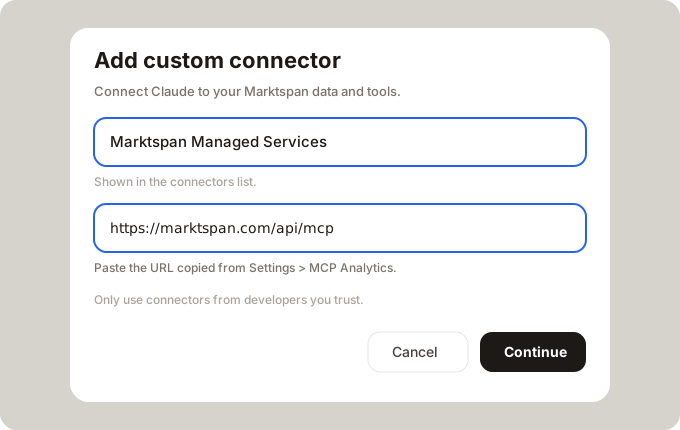
MCP server URL
https://marktspan.com/api/mcp
Connect in three steps
No install and no Bol client secrets to paste into your AI app.
- Create a Marktspan workspace and connect your Bol NL or BE shop (one-time setup in the app).
- Turn on MCP under Settings, then add a connector in Claude or ChatGPT and paste the server URL above. Sign in with Marktspan when prompted.
- Ask your first question — for example which search terms spent money without orders. The assistant pulls the same Sponsored Products data you see in Ad Pilot.
Questions operators ask every week
You stay in chat; the tools fetch what you need.
- Which search terms cost me money this month with no conversions?
- Summarize Sponsored Products for Bol NL for the last 30 days.
- Which campaigns have ACoS above 35% and are still enabled?
- What bid changes happened this week, and who approved them?
Read-only by default
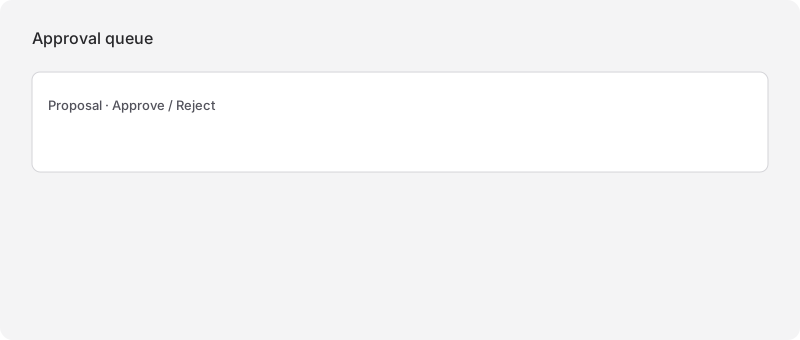
These tools analyze your account. They do not change bids or budgets in Bol. To apply bid updates, use Ad Pilot in Marktspan (preview and approval), or governed MCP write flows on eligible plans. Your team keeps control of money-moving changes.
Tools your AI can call
Requires a connected Bol account and Ad Pilot (Scale plan). Your AI chooses the right tool; you do not need to memorize names.
| Tool | Access | What you get | Try asking… |
|---|---|---|---|
| get_ad_overview | Read-only | Account spend, ad revenue, ACoS, ROAS, clicks, and conversions for a date range. | How did Bol Sponsored Products perform in the last 30 days? |
| get_campaigns | Read-only | Every campaign with spend, ACoS, status, and type — sorted so waste is easy to spot. | Which enabled campaigns spent the most this month? |
| get_ad_products | Read-only | Performance by advertised EAN, including title and stock when available. | Which products have high ad spend but weak sales? |
| get_search_terms | Read-only | Search terms with clicks, cost, conversions, and ACoS. | Which search terms cost money this month with no orders? |
| get_keywords | Read-only | Your tracked keywords with volume, listings, and average winning bid. | Which keywords have rising volume and a high winning bid? |
| get_ad_activity | Read-only | Recent bid and budget changes with who approved them. | What bid changes landed on Bol NL this week? |
Example workflows
Find losing search terms before you cut budget
Ask which terms spent budget without orders. Follow up on the campaigns and EANs behind those terms. Fix or pause with context instead of a blunt account-wide bid cut.
Monday check without five browser tabs
Open one chat, ask for a 30-day ads summary, then drill into campaigns and products. Use the same thread to compare NL and BE when you have both shops connected.
Audit what actually changed
Before the weekly review, ask what bid and budget changes landed and who approved them. Align the chat narrative with Ad Pilot and your internal sign-off rules.
FAQ
- Is there an official Bol.com MCP server?
- No. Bol provides seller APIs; Marktspan MCP is for teams that already run Bol in Marktspan and want Sponsored Products data in Claude or ChatGPT.
- Does this work with Claude and ChatGPT?
- Yes. Add the MCP server URL as a custom connector (Claude) or MCP app (ChatGPT) and sign in with your Marktspan account. See our step-by-step connect guide on the blog.
- Do I paste Bol API keys into Claude?
- No. You sign into Marktspan. The Bol connection lives in your workspace; the assistant never receives Retailer API credentials.
- Can the AI change my bids?
- Ad MCP tools are read-only. Applying bid changes happens in Ad Pilot (with approval) or through separate governed write tools on eligible plans — not silently from a chat message.
- Which plan do I need?
- Ad Pilot MCP requires Scale (connected Bol shop + mcp_read for ads tools). Commercial P&L and keyword research live on other plans and landers if you need them later.
- How is this different from wrapping the Bol API in MCP?
- You get Ad Pilot’s ingested Sponsored Products dataset — the same screens your team already uses — with tenant sign-in, not a DIY script with secrets on a laptop.
Put Bol Sponsored Products in the assistant your team already uses
We can walk through connector setup on your workspace.