Marktspan MCP connects Claude or ChatGPT to your Bol.com shops, Sponsored Products data, and P&L in one place. You sign in through Marktspan. Bol credentials stay in the workspace, not in a chat configuration file.
This article explains how to connect, what you can do after connection, and how to confirm the assistant is using live data.
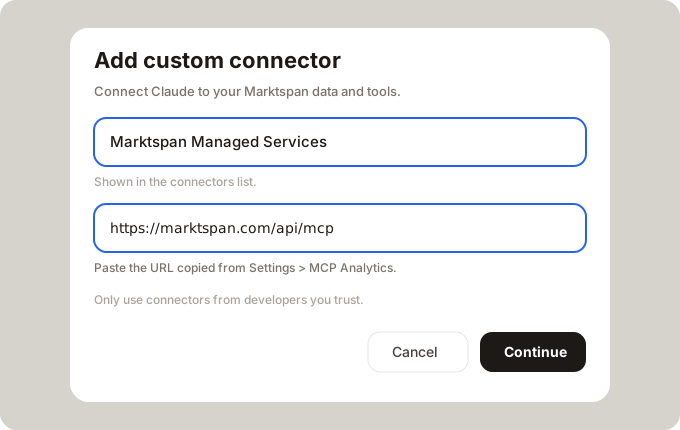
Server URL: https://marktspan.com/api/mcp
Connector name: Marktspan Managed Services
Name the shop (Bol NL or Bol BE) in every question. Compare answers to Ad Pilot and P&L in Marktspan before you act on them.
1. Enable MCP and connect your assistant
- In Marktspan, open Settings → MCP and turn MCP on.
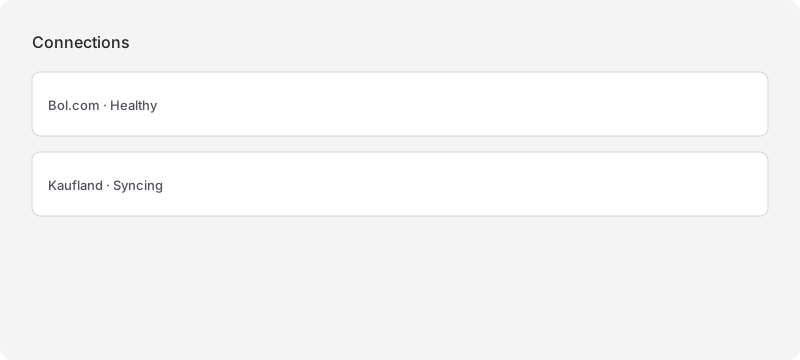
- Confirm Bol NL and Bol BE are connected and named clearly.
- In Claude: Settings → Connectors → Add custom connector. Name Marktspan Managed Services, URL https://marktspan.com/api/mcp. Keep sign-in options enabled, approve access, start a new chat.
- In ChatGPT (paid plan): Settings → Security → Developer mode on. Create an MCP app with the same name and URL, authentication OAuth, client fields left empty. Sign in and approve.
Source: Marktspan product
If tools look outdated after a release, remove the connector and add it again.
Full screenshots: Claude menu and Connectors steps are in the same image set under /docs/tech-assets/mcp/.
2. What Marktspan MCP can do for Bol.com
Capabilities depend on your Marktspan plan. The table below is what marketplace and ads teams use most often.
| Area | What you can do in Claude or ChatGPT |
|---|---|
| Shops | See which Bol connections exist; keep NL and BE separate in every answer |
| Sponsored Products | Account overview, campaigns, products (EANs), search terms, recent activity |
| Contribution | Revenue and contribution for a named shop in the same period you use for ads |
| Bid and campaign changes | Propose keyword bid updates (and related changes your plan allows), preview first, then apply after you confirm |
| Keyword and category research | Bol leaf demand, volume, bestsellers, unit economics (market-wide, not only your ads account) |
Bol.com does not offer a Partner upload to change many keyword bids at once. Marktspan MCP is one way to apply a reviewed bid list without building your own Advertising API integration.
Read tools are available on eligible plans. Applying bid changes to Bol requires MCP write access and follows the same approval pattern as Ad Pilot (preview, then push). Strategy and outsource vs. automate: When to outsource Bol ads vs. automate with AI and MCP.
3. Example questions after you connect
Ads review (one shop, thirty days)
- “Summarize Sponsored Products for Bol NL for the last thirty days.”
- “Which enabled campaigns drove the most spend, and which search terms had cost but no conversions?”
- “For those terms, did the advertised EANs still contribute in the same period?”
After your own analysis
- “Here is my bid change list [paste table or CSV]. Preview the updates for Bol NL. Do not push until I confirm.”
Commercial check
- “Contribution and net revenue for Bol NL, last thirty days, compared to the prior thirty days.”
4. Validate before you trust the chat
- Ask for Bol NL only. Repeat for BE. Do not accept a blended figure for a single-shop decision.
- Match one ads total to Ad Pilot and one contribution total to P&L in the app.
- For bid changes, insist on preview (
dry_run) before any live update.
Source: Marktspan product
5. What MCP is not
- It is not an official Bol.com MCP. Bol does not publish a first-party server for operators.
- It is not a replacement for your bid policy, evidence floors, or approver. It carries out reviewed changes; it does not remove governance.
- It is not useful if you only paste stale Partner exports into chat without connecting Marktspan. Connect first, then ask.
6. Where to go next
- Outsource vs. automate: When to outsource Bol ads vs. automate with AI and MCP
- Tool overview and use cases on the site: MCP for Bol.com, MCP for Bol advertising
When an ads lead can run a Bol NL review in chat and see the same numbers as in Marktspan, connection is done. The next step is operational: turn last week’s analysis into bid changes without clicking through Partner row by row.
Turn this operating method into a repeatable workflow.
Marktspan connects marketplace data, diagnosis, and controlled action so teams can spend less time reconciling screens and more time improving outcomes.
Open MCP for Bol.com